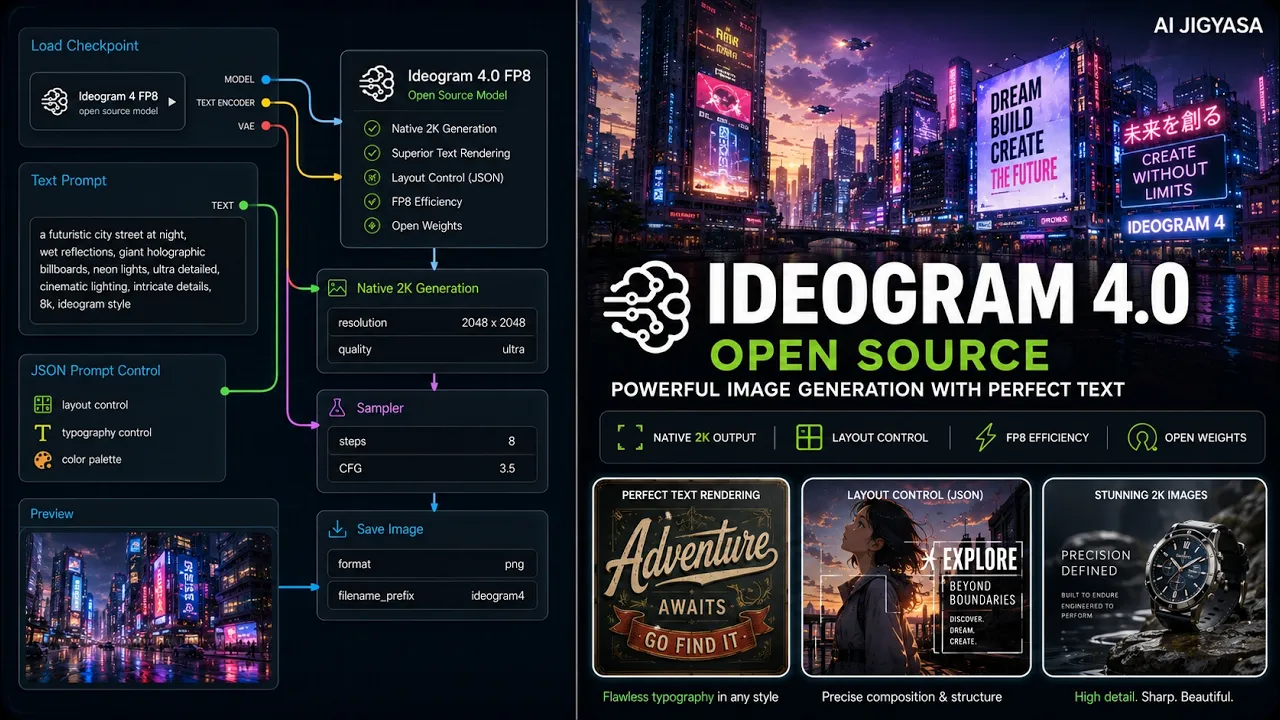
The Best Open-Weight Image Model Right Now — Ideogram 4.0 in ComfyUI
In this video, I'll show you how to run Ideogram 4.0 — one of the most powerful open-weight text-to-image models ever released — inside ComfyUI. Trained from scratch as a 9.3B parameter Diffusion Transformer, Ideogram 4.0 introduces structured JSON prompting with bounding-box layout control, hex color palettes, and native 2K resolution output. This is a research & personal use workflow — not for commercial use as the model weights are under Ideogram's Non-Commercial Model Agreement.
Featuring Ideogram 4.0 Open Weightshuggingface.coWhat you'll learn
1. Idogram 4.0 Overview
2. Precision Control
3. Performance Modes
4. Native Resolution
5. Comfy UI Integration
6. Optimization Tips
7. Safety Filters
8. Use Cases
Workflow
- Commet "workflow" to get the workflow.
Model links
models/diffusion_models
FP8huggingface.co FP8 Unconditionalhuggingface.comodels/text_encoders
qwen3vl_8b_fp8_scaled.safetensorshuggingface.co gemma4_e4b_it_fp8_scaled.safetensorshuggingface.comodels/vae
flux2-vae.safetensorshuggingface.co- 👍 Support the Channel If you found this helpful:
- 👍 Like the video
- 🔔 Subscribe for more AI workflows
- 💬 Comment what you want to see next