LTX-2 IS OUT! This FREE AI Video Model Has AUDIO! (12GB VRAM ComfyUI Tutorial)
Comment "Workflow" to get the simplified workflow.
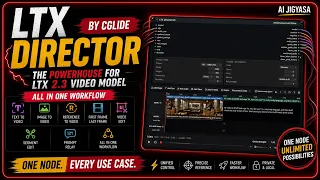
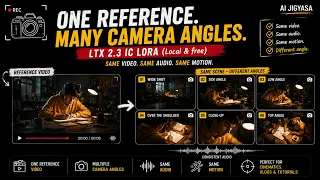
Generate AI videos WITH synchronized audio using LTX Video in ComfyUI - completely FREE and open source! This tutorial shows you how to set up and use LTX-2, the breakthrough 19B parameter model that creates video AND audio together in a single pass.
- 📦 MODELS & LINKS:
- ⚡ WHY LTX VIDEO IS GAME-CHANGING:
- ✅ Only needs 12GB VRAM (works on RTX 3060, 4060, 4070+)
- ✅ Generates VIDEO + AUDIO simultaneously
- ✅ Completely open source & free to use
- ✅ Text-to-video, image-to-video, video-to-video
- ✅ Up to 4K resolution at 50 FPS
- ✅ Fast generation on consumer GPUs
- ✅ Built into ComfyUI natively
- 🎯 WHAT YOU'LL LEARN:
- - How to install LTX Video in ComfyUI
- - Setting up the ComfyUI-LTXVideo nodes
- - Text-to-video generation workflow
- - Prompt engineering for best results
- - Upscaling videos to higher resolution
- - Optimizing settings for your GPU
- ⏱️ TIMESTAMPS:
- 💻 SYSTEM REQUIREMENTS:
- - Minimum: 12GB VRAM (RTX 3060 12GB, 4060 Ti 16GB)
- - ComfyUI (latest version)
- 🎨 PROMPT TIPS FOR BEST RESULTS:
- - Describe chronological actions in detail
- - Include camera movements and angles
- - Mention audio elements (dialogue, music, sound effects)
- - Keep prompts literal and precise
- - Start directly with the action
- - Negative prompts: "worst quality, inconsistent motion, blurry, jittery, distorted, watermarks"
- 🚀 GENERATION SETTINGS EXPLAINED:
- - Resolution: 768x512 (landscape) or 512x768 (portrait) base
- - FPS: 15 for static scenes, 24-50 for motion
- - Steps: 8-step model for fast iteration, base model for quality
- - Upscaling: 2x spatial and temporal upscalers available
- - Length: Up to 20 seconds possible (VRAM dependent)
- 🔧 TROUBLESHOOTING:
- - Out of VRAM? Use FP8 quantized model or reduce resolution/length
- - Blurry results? Use spatial upscaler and increase steps
- - Inconsistent motion? Improve prompt detail and use negative prompts
- - Missing nodes? Update ComfyUI to latest version
- 🌟 LTX-2 vs Other Models:
Unlike Runway, Pika, or Kling, LTX Video is
- ✓ Completely free (no credits, no subscriptions)
- ✓ Runs locally on your own GPU
- ✓ Open source (customize and train your own LoRAs)
- ✓ First major model with native audio generation
- ✓ Built on DiT architecture (Diffusion Transformer)
- 📱 CONNECT WITH ME:
- 🔔 Subscribe for more AI tutorials
- 📸 Instagram: @ai_jigyasa
- 🐦 Twitter: @AshishKaprawan
- ---
- 🎓 NEW TO COMFYUI?
- 🔥 MORE AI VIDEO TUTORIALS:
- → Stable Video Diffusion Setup
- → AnimateDiff Complete Guide
- → Best Video Upscalers for ComfyUI
- ---
This video is for educational purposes. LTX Video is developed by Lightricks and released under Apache 2.0 license. Always review generated content and respect copyright laws when using AI-generated media.
- Like this tutorial? Hit that LIKE button and SUBSCRIBE for more cutting-edge AI tools and workflows!
- 🔻 Drop your generated videos in the comments - I want to see what you create! 🔻